Why WorkJam
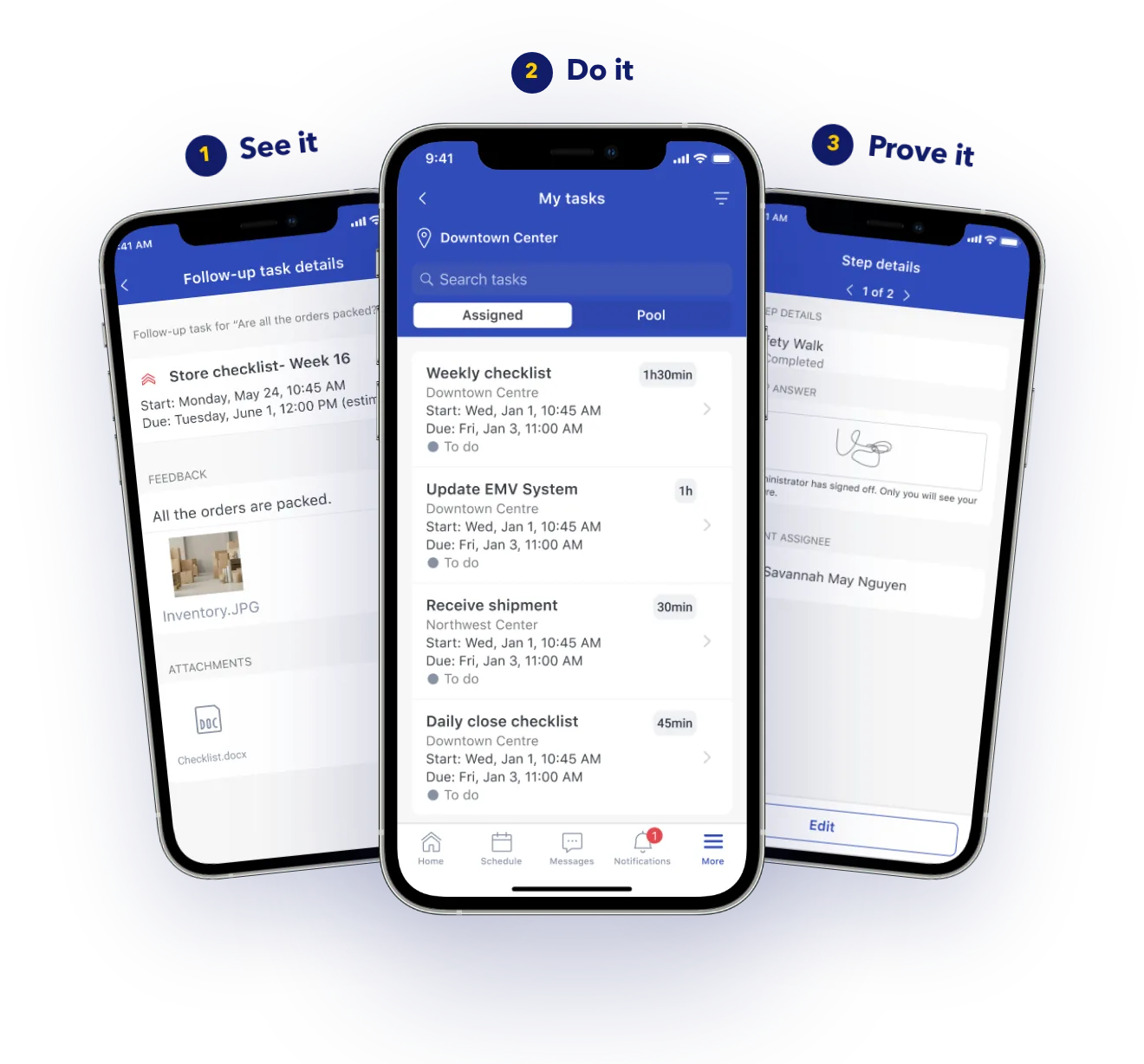
Communications, tasks, learning, and scheduling in one app for every worker, connected to the systems you already run.
In use today at
What point tools, dashboards, and group chats can’t give you.
Extensibility
Widgets, micro-apps, Task Connect, open APIs, and DaaS let IT put any system in front of workers.
Personalization
Content targets role, shift, certification, and tenure across every banner and franchise group.
Device flexibility
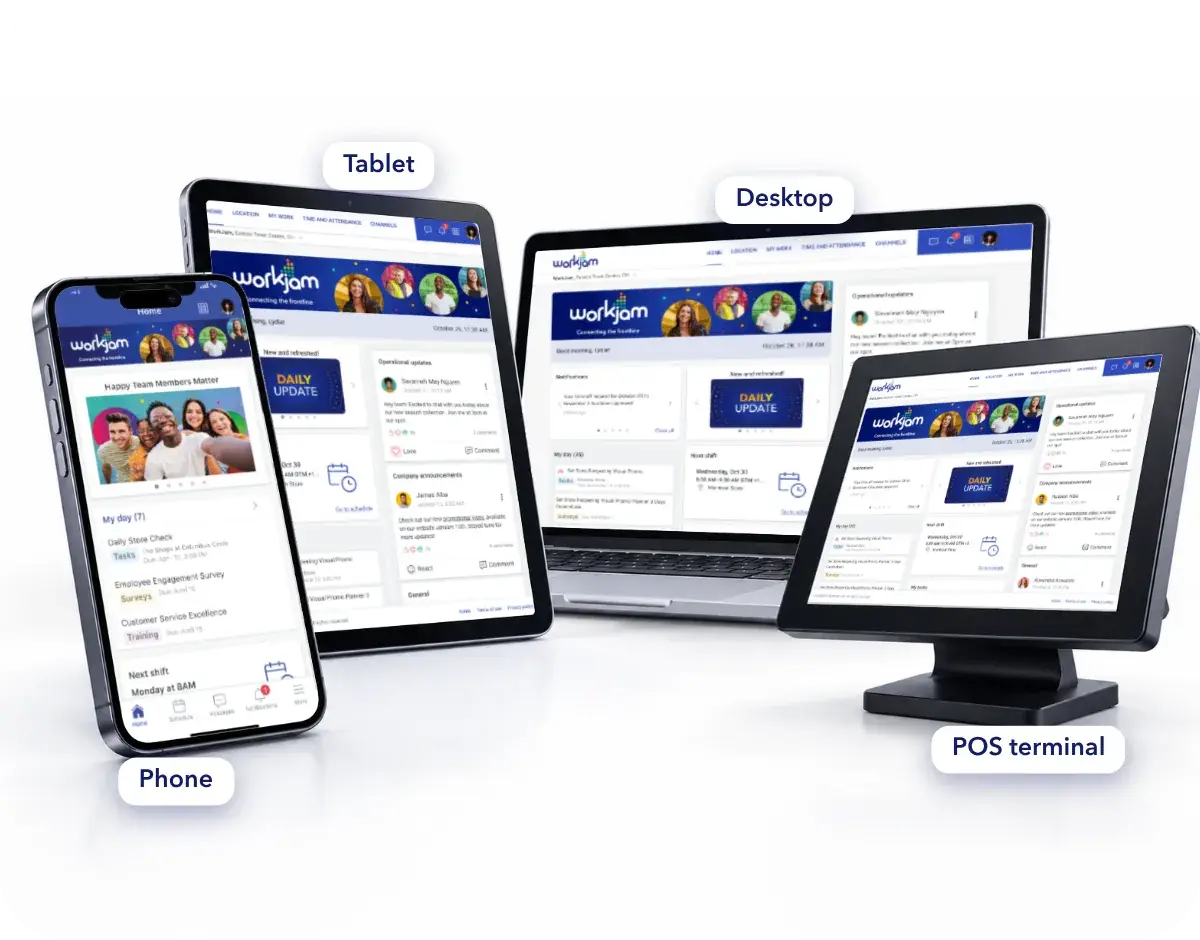
Phones, shared kiosks, wall screens, POS, and Teams, all with the same compliance controls.
AI and workflow automation
Answers scoped to each person, work verified on the floor, and no off-clock exposure.
01 · Extensibility
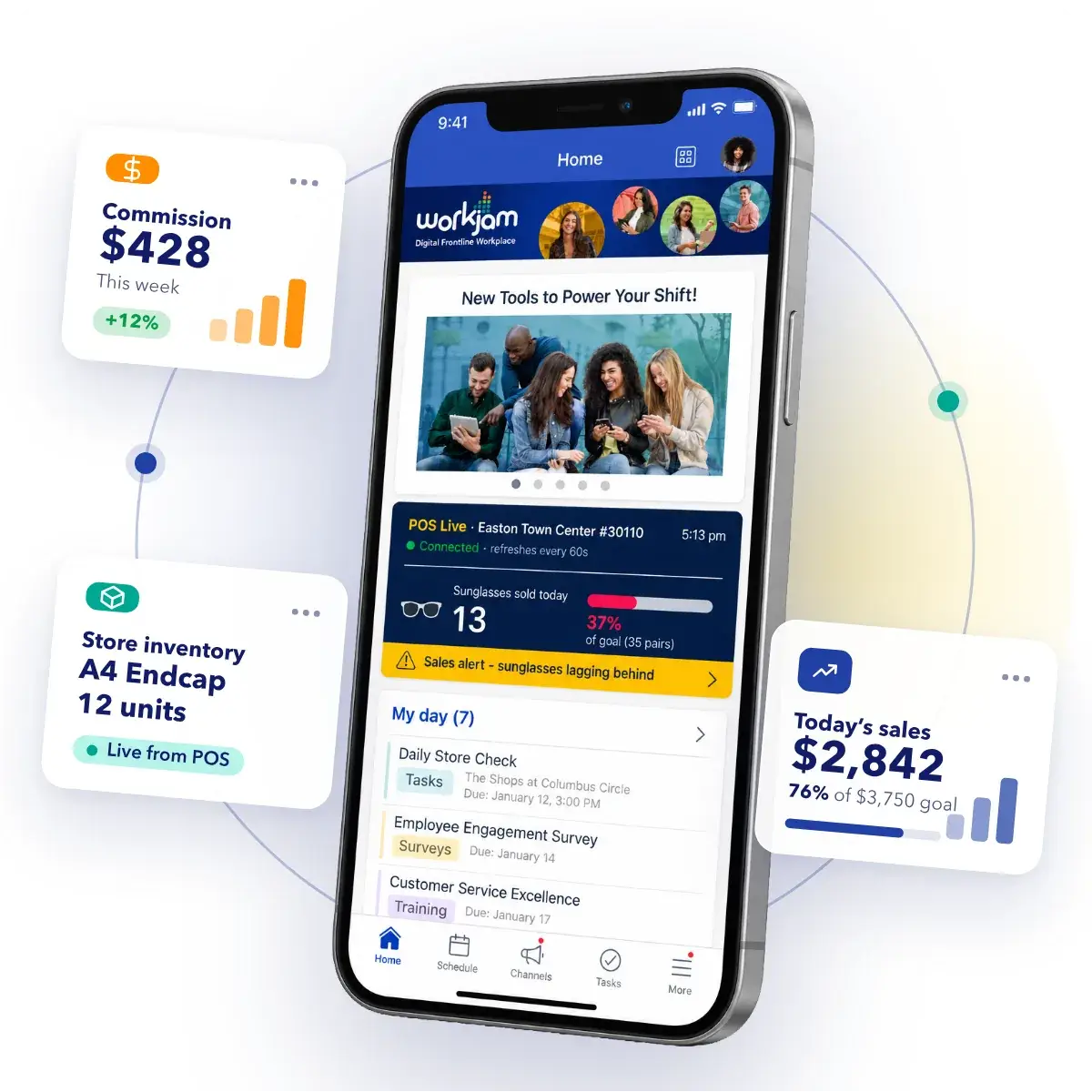
Your POS, WFM, ERP, and commission engine already hold the data frontline teams ask about, but none of them show up where the work happens. Custom Widgets show each employee live data from those systems, scoped to them and never copied. Task Connect runs task steps inside the systems themselves. When your team builds a micro-app, it deploys straight into the frontline experience, and open APIs and DaaS let you build on WorkJam’s own data.
Can associates see live numbers from our own systems, scoped to each person, without that data being copied into your platform?
02 · Personalization
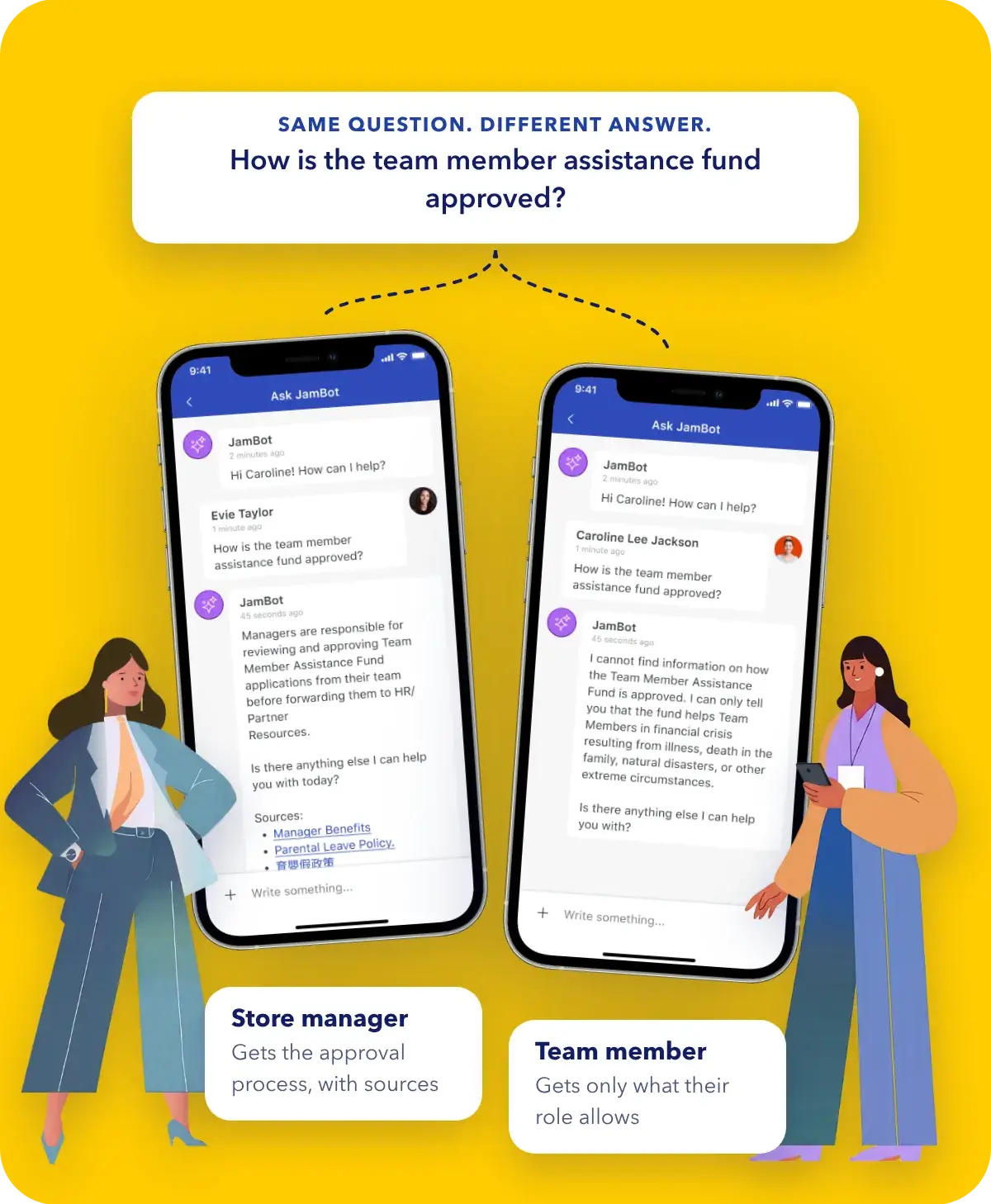
A cashier in aisle 4, a front desk agent on nights, and a line supervisor need different things from the same platform. The Target Audience Engine combines role, location, shift state, tenure, certification, and custom attributes, and updates from your connected systems as those facts change.
Reading a work message off the clock can create a compensable time claim. WorkJam blocks that exposure in the product, with shift, geo, IP, and beacon fencing on every module.
03 · Device flexibility
WorkJam runs on personal phones, inside the tools your company already uses, and on shared hardware that belongs to the floor, such as a kiosk, a wall screen, or a POS terminal. The compliance controls are the same on every one of them. One instance serves 38 countries in more than 45 languages.
Personal phones, no MDM required.
Site Coach sessions switch between workers in seconds.
Inside Microsoft Teams, your WFM, or HRIS, with no separate login.
Full access for managers and HQ, no install.
04 · AI and workflow automation
AI in this market usually produces insight that reaches the field as more noise, or answers questions in a chat window and leaves the work undone. Insights to Execution means a signal turns into targeted, verified work on the floor while it still matters, with the AI running inside your permissions, labor rules, and compensable-time limits.
Most platforms
WorkJam
Recommends, then waits for a manager to act
Turns the insight into a targeted task for the right person on the right shift, and verifies it closed
No control over off-clock interactions
Shift-fencing on every AI interaction, enforced by architecture
A black box legal has to take on trust
Configurable, auditable, and overridable
Keep it. WorkJam acts as the execution layer for the AI you already own, so it reaches deskless employees with the targeting, fencing, and verification already in place.
Enterprise security and compliance
Once AI affects how work is allocated, HR and works councils join the review too. These are the areas it usually covers.
01
Admins decide what each AI capability may do, every action can be audited, and a person can always override it.
02
Shift, geo, IP, and beacon fencing prevent compensable off-clock activity across every module.
03
Content segregation across countries, brands, and regions, with HQ oversight.
04
Every interaction is logged and available for litigation-hold discovery.
Analyst recognition
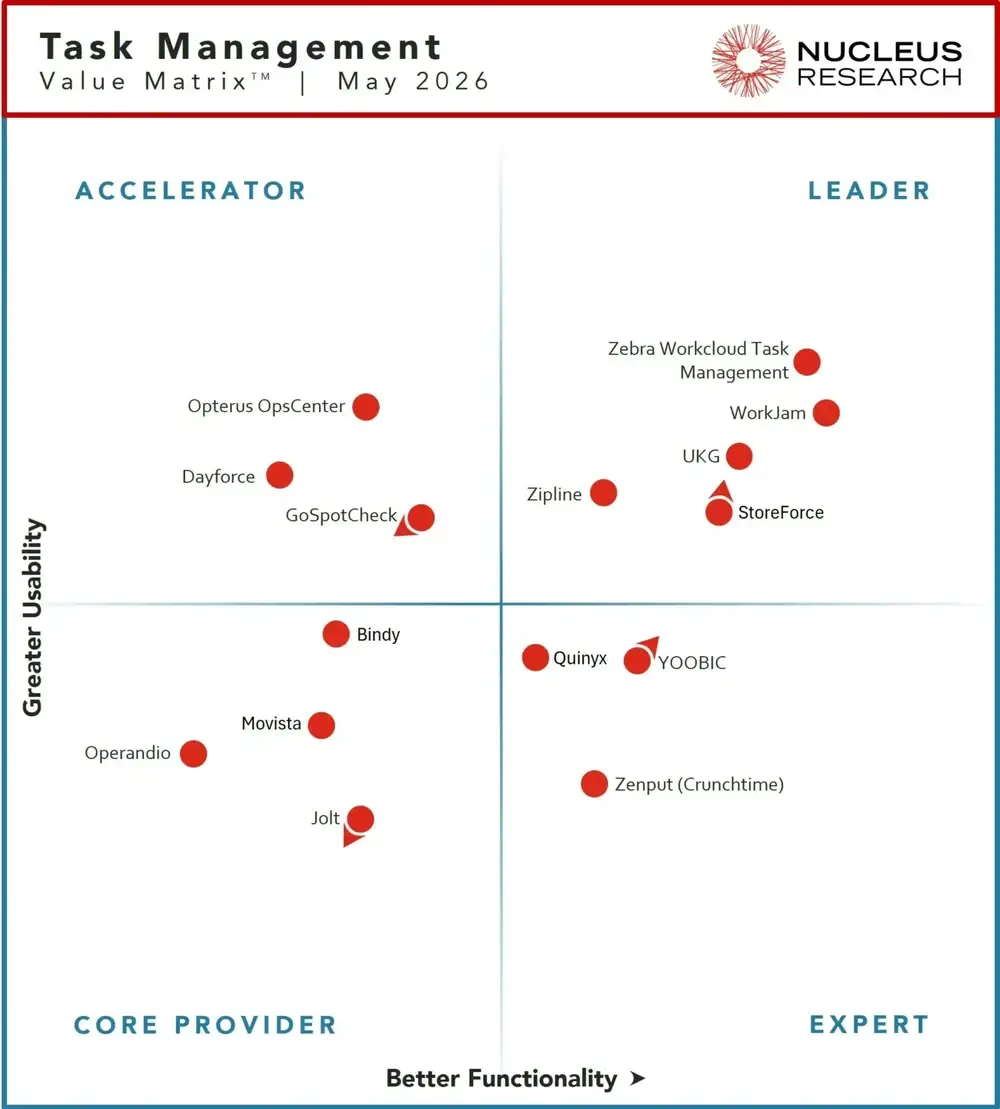
Nucleus Research placed WorkJam in the Leader quadrant for both usability and functionality, citing the unified platform, Task Connect, and the pace of AI innovation.
Source: Nucleus Research, Task Management Technology Value Matrix 2026. Reprinted with permission.
The long game
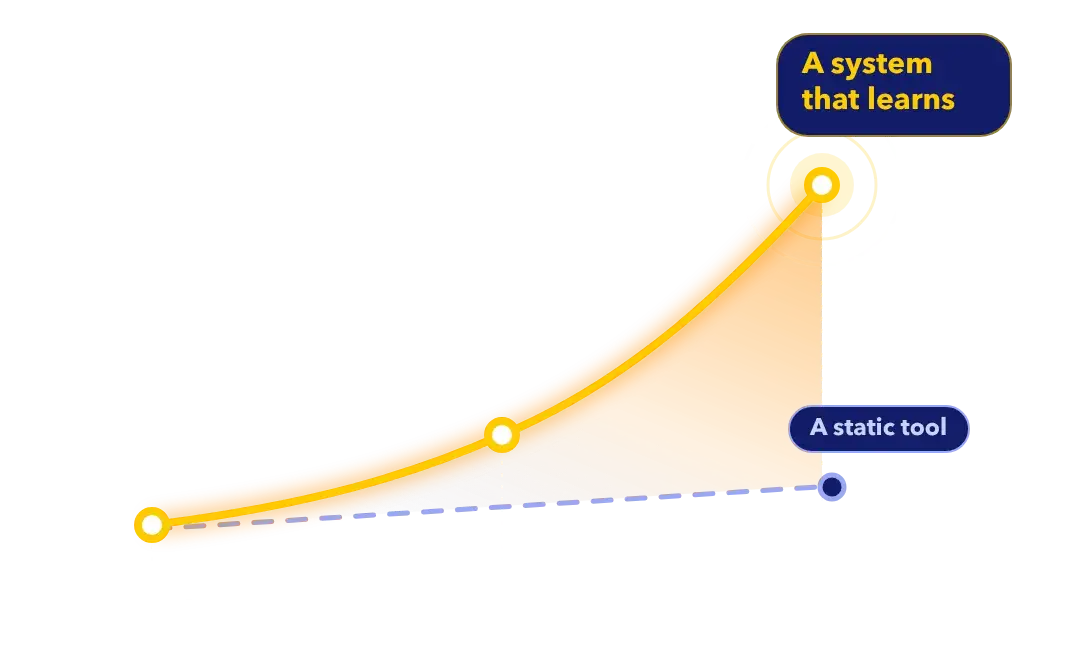
Most enterprise software improves your operation once, at go-live, then falls behind as demand, staffing, and the calendar change around it. WorkJam keeps learning from the operation as it runs.
When a manager overrides a recommendation, that decision feeds back, so the judgment of your best operators stays with the company after they move on. Year three should look better than year one.
Illustrative, not plotted data
The platform
WorkJam brings together the work frontline teams usually juggle across separate tools, and connects it to the WFM, HR, and operations systems you already run.
HQ-to-floor task execution with photo proof, review, and audits.
Targeted channels, messaging, surveys, and live streaming.
Courses and training assigned by role and tracked to completion.
Schedules, shift swaps, open shifts, and time off, on top of your WFM.
SOPs and policies, searchable and scoped to each person.
Answers grounded in your content and scoped to the person asking.
FAQ
WorkJam is the complete AI frontline operations platform. It brings communications, tasks and audits, learning, knowledge and scheduling into one app for frontline workers, and connects to the WFM, HR and operations systems a company already runs. Retail, hospitality, food service, manufacturing and distribution companies use WorkJam across their locations.
A communications app sends messages. In WorkJam, communications, tasks, learning and schedules share one platform, so a head office update can become a targeted task with photo proof, and training can go to the people whose role needs it.
Email and group chats reach whoever happens to check them, and spreadsheets don’t show whether the work was done. WorkJam targets each worker by role and shift and records task completion with photo proof. Content fencing also keeps work away from employees who are off the clock.
WorkJam can restrict content by on-shift status, on-site location or IP address. When an employee opens the app off shift or away from the site, fenced content isn’t available, which reduces the risk of unpaid compensable time under wage and hour laws such as the US Fair Labor Standards Act.
It runs inside the same targeting, permissions, and fencing as the rest of the platform. Answers are grounded in your SOPs and scoped to the person asking, and every action is auditable and overridable.
Yes. WorkJam runs in retail, hospitality, services, manufacturing, and distribution, including plants where beacon fencing handles environments GPS can’t.
Yes. Custom Widgets show live data from any system your team can expose at a URL or JSON endpoint. Task Connect runs task steps in POS, WMS, ERP, CRM and ticketing systems while the worker stays in WorkJam, and Data as a Service (DaaS) sends WorkJam execution data to your BI tools.
No. On personal or company phones, employees install the WorkJam app from the App Store or Google Play.
Employees without a phone can use WorkJam on shared devices and kiosks through Site Coach, or in a web browser with nothing to install.
WorkJam also runs inside Microsoft Teams, and on desktop and web.
Yes. WorkJam offers inline translation in more than 45 languages and runs in 38 countries from a single instance. Documents, pages and thumbnails can be published in French and other languages for the same audience.
WorkJam has a SOC 2 Type II report, is certified to ISO/IEC 27001:2022 and UK Cyber Essentials, is attested to ISO/IEC 27017:2015, and has published a CSA STAR Level One self-assessment. WorkJam complies with GDPR, supports HIPAA compliance, has a Data Protection Officer, and publishes its security documentation in the WorkJam Trust Center.
WorkJam’s core platform is built for enterprises with many locations and complex roles. Frontline Connect is WorkJam’s offering for smaller organizations, with a lighter setup and published pricing.
From the people who run on it
Operations leaders, communications teams, and store managers, in their own words.
“By centralising every task within WorkJam, we’ve finally achieved harmonisation at scale.”
Ligia Paraschivescu, Supply Chain and Store Operations, Metro AG · Read the story →
★★★★★
“If something goes wrong on the closing shift, I know before I walk into the store the next morning.”
Store manager, Retail · G2 review
★★★★
“The Secret to Happy Teams? WorkJam!”
Angel W., Manager of People Journey & Experience · G2 review
★★★★★
“…the modules ‘talk’ to each other effortlessly to provide a seamless experience for the end user.”
Kristal L., Internal Communications Supervisor · G2 review
★★★★★
“Why didn’t my last job have this?”
Marcus D., Enterprise · G2 review
★★★★
“It’s like having your whole workday in your pocket, which is amazing.”
Angel W., Manager of People Journey & Experience · G2 review
★★★★★
“Tasks are organized, prioritized, and easy to assign. I don’t have to chase down employees to explain what to do or when.”
Store manager, Retail · G2 review
“What used to live across paper checklists, emails, and verbal handoffs is now digital, connected, and much easier for teams to manage day to day.”
Ligia Paraschivescu, Metro AG · Read the story →
“Truly makes my life easier in the store.”
Verified user, Supermarkets · G2 review
★★★★★
“I feel like I know what I am supposed to be doing, when I am working and what is expected.”
Marcus D., Enterprise · G2 review
★★★★★
“…one central location for all communications, corporate documents, and task accountability.”
Verified user, Retail · G2 review
★★★★★
“Most of our users log into WorkJam at least once a day.”
Kristal L., Internal Communications Supervisor · G2 review
See it for yourself
Bring the questions from this page, and your toughest ones. We’ll answer them in the product, with your own roles, shifts, and systems.

We use cookies to enhance your experience on our site, analyze traffic, and support our marketing efforts. You can choose which cookies to allow below. For full details, see our Privacy Policy.